

GREVA 8K Android TV Box 13.0 2GB RAM 16GB ROM Smart TV Box RK3528 Chipset Support 2.4G/5.0G WiFi 6 HDR10 BT5.0 USB3.0 Ethernet LAN 3D 1080P 2K 4K+ Utral HD Streaming Media Player
$42.99
Related Products


From the brand


ABOUT GREVA
Formally established in 2021, GREVA is a young consumer electronics and smart manufacturing company. We specialize in the R&D of smart TV boxes, with “quality seek survival, prestige seek development” the company philosophy, on the basis of high quality, good reputation, full service to satisfy the needs of customers.
Our goal is let people enjoy the better life brought by technology.
Not satisfied with your purchase?
We offer a 30-day return/exchange on all orders if you are not satisfied with the product you received.
How long will we reply your messages?
If you have any questions, please leave us a message anytime. We strive to respond to customers within 24 hours.
If my products have issues, what should I do?
If you encounter issues after you ordered our products, please send message to us, We will provide satisfied solutions.
GREVA TV BOX ANDROID
GREVA TV BOX ANDROID
MINI PC
TV Antenna
TV Antenna


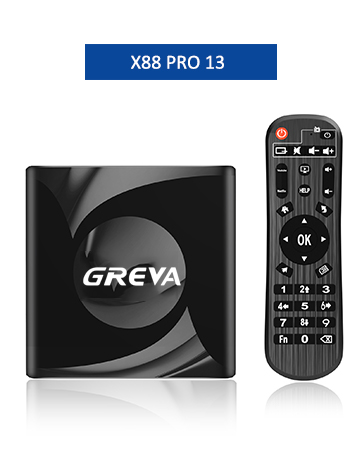
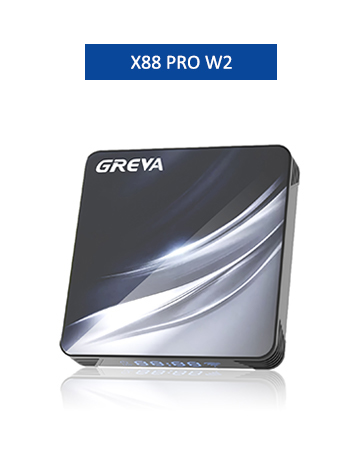
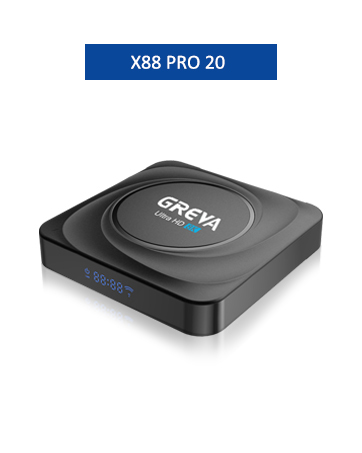
【Newest Android 13.0 OS】TV box Android is equipped with the latest Android 13.0 operating system, which ensures stable operation and smooth loading of movies. Internet TV Box Android 13.0, Gigabit Ethernet, 2.4G/5G Dual-Band WiFi 6 Bluetooth 5.0. It has extremely high software compatibility and good user experience
【Powerful Rockchip3528 Chip】Android Box TV with the latest Rockchip quad-core Cortex-A53 CPU has a very fast start-up speed, which helps to quickly open applications and switch between different interfaces without having to wait for a long time.
【2GB RAM 16GB ROM】Using the most predominantly popular storage on the market, it comes with a 2GB DDR3 RAM 16GB eMMC ROM CPU to get your apps and games up and running quickly. You can download as many apps as you want with this Android TV box. No buffering or crashes, never have to worry about running out of space.
【H.265 & HDR10 Decoding】Comes with 10-bit decoding function to enhance colours and ensure more accurate colours. With H265 decoding, online videos or movies can be buffered in a fraction of the time even if the smart streamer is not buffering, reducing the user’s waiting time.
【8K and 3D Support】Screen resolution is adaptive, support for decoding and playing almost all popular audio and video formats, you can enjoy 8K ultimate HD video. Play thousands of Android games on the big 1080P 4K 8K screen and enjoy a higher quality experience with less buffering time. What’s more, this internet TV box supports 3D, so you can enjoy a visual feast.
8 reviews for GREVA 8K Android TV Box 13.0 2GB RAM 16GB ROM Smart TV Box RK3528 Chipset Support 2.4G/5.0G WiFi 6 HDR10 BT5.0 USB3.0 Ethernet LAN 3D 1080P 2K 4K+ Utral HD Streaming Media Player
Add a review
$42.99
lauriel –
Works perfectly
Like most people I already own a smart TV. But my tv’s streaming apps are buggy with no way of updating them. This little box allowed me to stream YouTube without the bugs, and it let me download the Hulu TV app thru the Google Store. It’s nice to have this option when your smart TV won’t let ya download / update apps. No more streaming bugs. Works perfectly via HDMI cable. Cheaper than a new smart TV anyway.
edward mayeaux –
Good for what I need but wifi dropping out after a few months…
I have two of these, the latest one which is this review was OK for a few months and now I seem to have to reboot it every other day as it loses wifi connection, never had this problem with my first one which just needed a new remote. If they sold just the remote I would go back to using it. I do like the larger memory compacity but that’s the only difference between them both.
DAP –
Poor and misleading
This unit claims a 8k resolution; however, the highest obtainable resolution is 4k…there is nothing in the menu items to adjust to 8k…false advertising…the remote doesn’t respond at certain times thereby making you switch to cursor mode and then back to button mode to get through screens…some ads where difficult to get signed on…took three times to get into Netflix…unit only plays stereo from certain apps which are known to be Dolby surround…I guess I should have expected poor performance by the asking price, but I was hoping the narrative on the site was correct…shame on me…only positive about this unit, that I found, was the ability to insert an external hard drive which perform okay…
Luis miguel –
De acuerdo con lo esperado
De acuerdo con lo esperado
Fahad –
👎🏻
👎🏻👎🏻
Kindle Customer –
Works perfect!
Great and easy to use. Had this for a few months now. No complaints.
Nicholas G. –
Android TV
Update: Are you having issues with sound and playback of Max (formally HBO Max) on this device? Go to the bottom for my fix.I have several FireTV sticks, Roku boxes, Roku TVs, many game systems that have media apps on them, and an Android TV box that is identical, except it has 4GB of RAM and 64GB of eMMC storage. So I got this to compare. The remote needs 2 AAA batteries, which I didn’t have on me initially. I would have liked to have known to buy them.Pros:- Small and lightweight, low-energy box. In comparison to similar devices, this one is quite lightweight.- It has many great features, Wifi 6, 2GB RAM, and a decent CPU. That’s all great.- Supports 8K, but unfortunately, I have nothing higher than 4K, so I can not confirm that it outputs 8K.- It has a mouse mode that can be activated by clicking the button above the “1” button. Read my note below*- It has all major media apps from the built-in app store, but you’re always free to use the Google Play store.- I have seen no lag, stutter, audio problems, or otherwise from playing media files whether streaming on Hulu, Disney+, etc. or through my NAS.Cons:- The keyboard it comes with is difficult to use. The keys are skewed and it makes it hard to type things in.- I was not able to select “English (United States)” only “English (UK)” which are not the same. The dialects have subtle differences in spelling and many different idioms.- The remote control uses IR instead of Bluetooth, and this is very disadvantageous as not pointing in the right direction just causes it to ignore me.- I noticed that when I hold down the directional buttons, that it always goes 1 or 2 steps over what I’m trying to select. It lags just ever so lightly when it goes from being held down to not being held down.On the fence:- I don’t believe the HDMI cable that comes with it is 8K to be honest. My 4K HDMI cables are quite bulky and the one 8K HDMI cable I have is extremely bulky. These looked like older HDMI cables that only support 1080p (FHD).Notes:- * Mouse mode will allow you to install apps that knowingly track you like “ES File Manager”. Personally, I don’t care if it tracks me, because it allows me to play local media files from my NAS, when VLC can’t by default. However, I recommend MX Player Pro from the Google Play store instead if you have a money and therefore a choice, since it has better video/audio sync support (in comparison, VLC desyncs often with certain files). You can get to the Google Play store by going to the app list and showing all apps. You can then open it and log in to your Google account. I already owned MX Player Pro, so it was a synch to get it up and running and then I loaded a custom codec pack.- I attempted to run a game I own, by backing it up, copying it, and then side-loading it. Unfortunately, this game is not compatible with the system, so unfortunately, I could not say whether or not it would play full games (not mobile stuff). The game I was testing was Disgaea 1 Complete. Now I saw Disgaea 4, but I was not going to buy it just for these tests. If I purchase it in the future, I will amend this note.- This review is almost identical to my review of the “RUPA” brand version of this same exact product. It was produced by the same factory in China, and the box, packaging, cables, remote control, etc. are all identical, so there was not really anything to add. What I was surprised about was that it ran pretty much as well the more expensive RUPA-branded 4GB RAM/64GB eMMC. It just doesn’t have as much room to store apps. I wasn’t really able to see how 2GB instead of 4GB of RAM caused any significant difference.- I hadn’t tested Max (formally HBO Max) on this box until today, when I made this amendment to my review. It had no sound, was lagging, and I was frustratingly switching HDMI cables, disabling what I thought would fix it, looking up how to fix it and nothing worked. Then, I saw something that caught my eye. Go to settings which is a gear in the top-right bar. After that go to “Device Preferences” then go to “Decode and Bitstream”, then to “Audio Device”, and click on “Decode” instead of the default “HDMI Bitstream.” Now the audio in Max should work and make sure to wait before clicking anything because Max crashes if you don’t wait for it to load up.- Update 2: So, I was having to install different versions of Max, phone and TV versions, and consistently had issues with movies that required Dolby HD sound. This may be a limitation of the app as it would play sound in one version of Max and not the other for the same video. Overall, the experience was frustrating. If you want to use Max, I don’t and can’t recommend this Android TV box.
Gregory J Williams –
Came quickly
as ordered