

SABLUTE Wireless Trackball Mouse, Ergonomic Bluetooth Rechargeable Computer Mouse, Backlit Rollerball Thumb Laptop mice with 5 Level DPI, Adjustable Angle, 3 Devices Connection for PC, Mac, Windows
$36.74
Related Products




From the brand

Trackball mouse
Trackball mouse
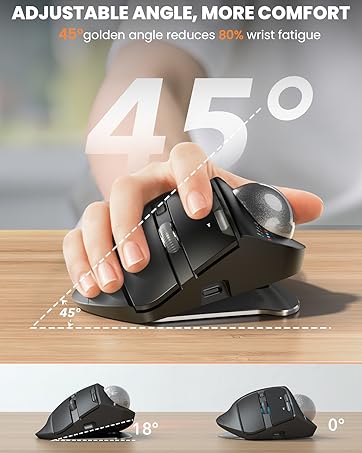
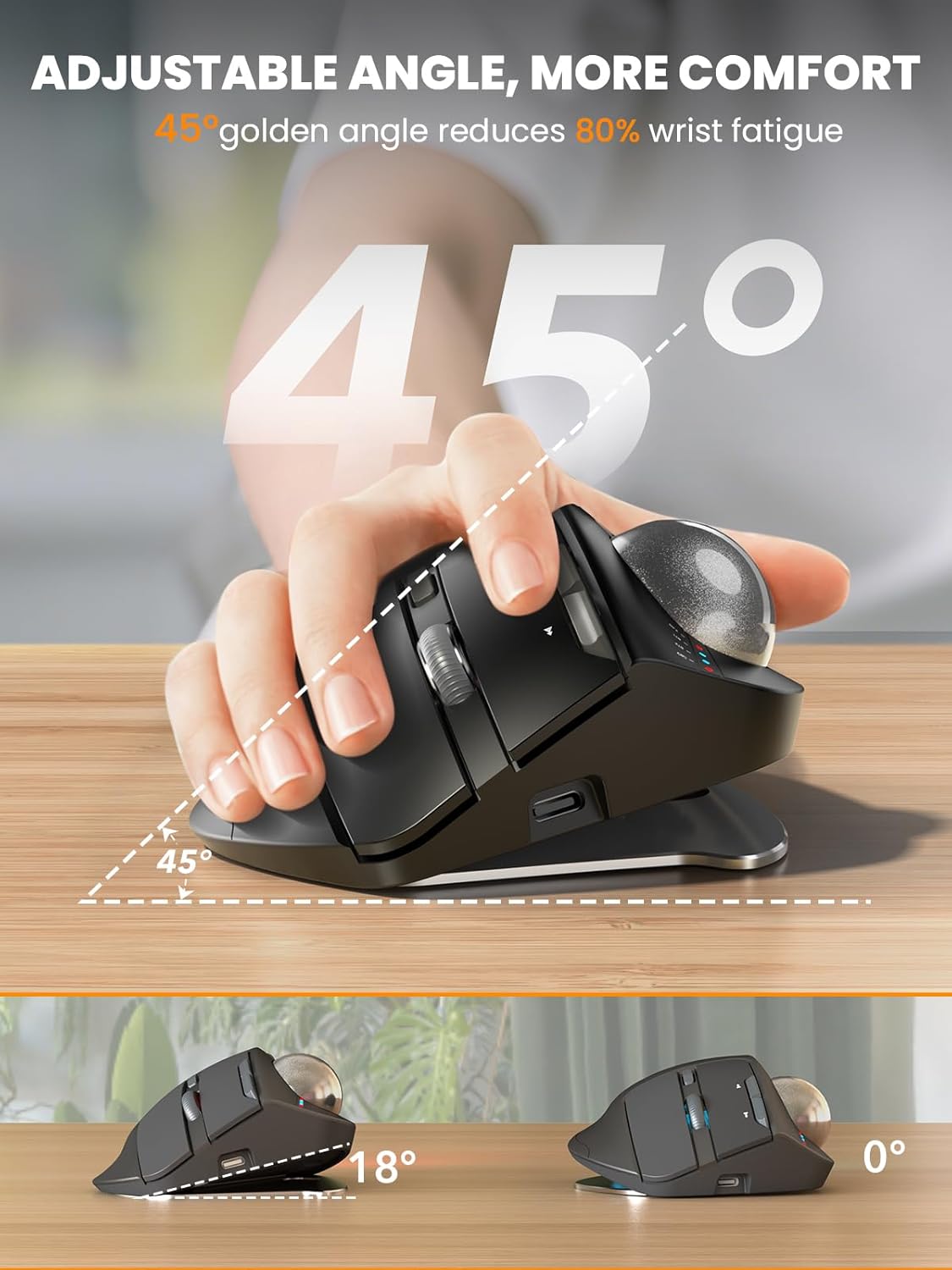
Ergonomic design: You can choose the trackball mouse angle that suits you according to your needs, 0° and 18°. Proven: The 18° design is more in line with the natural drooping wrist angle of sitting posture, especially for people who use computer mouse for a long time, giving you a more comfortable experience and Reduces Muscle Strain
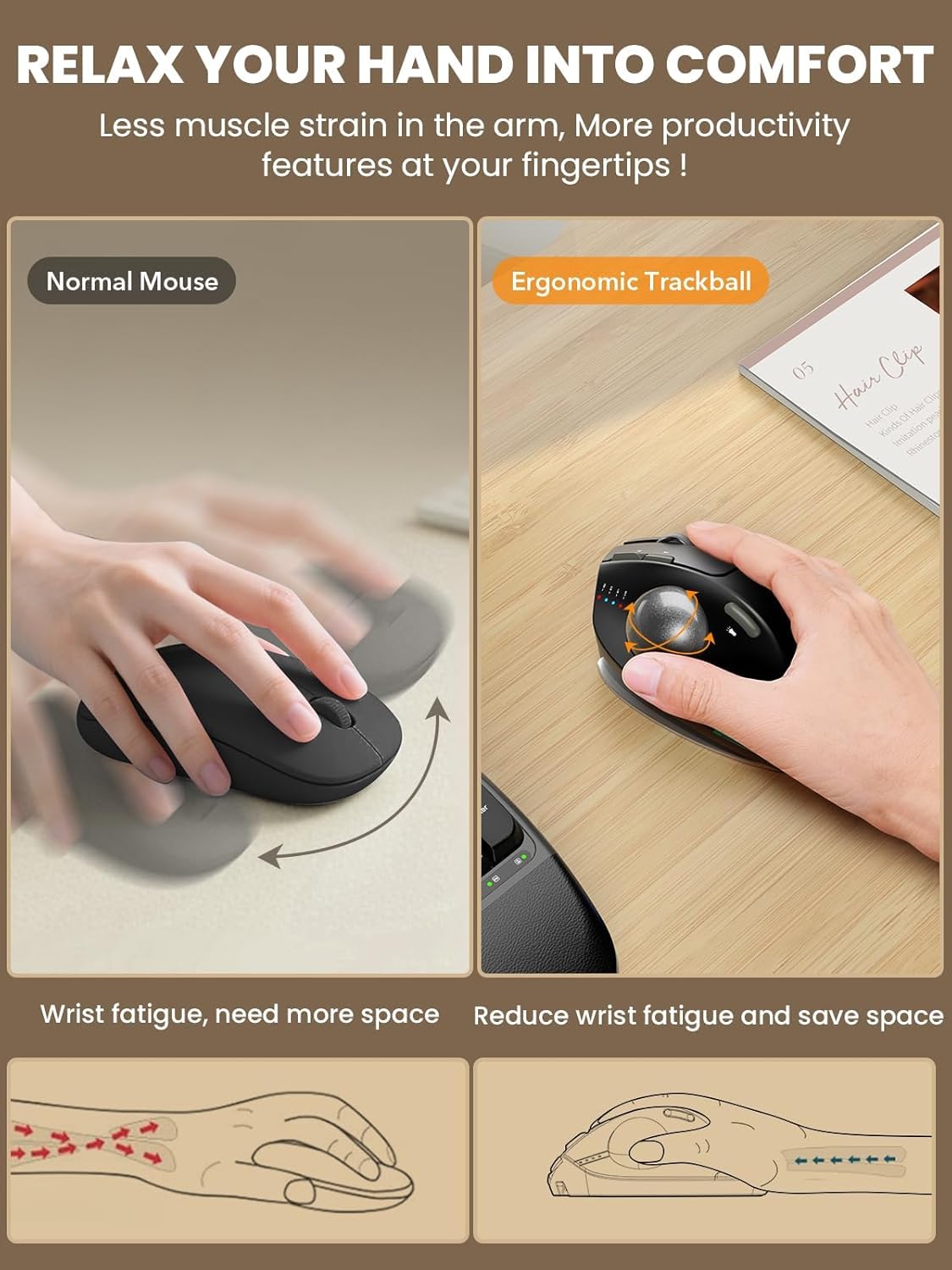
Precise thumb mouse: SABLUTE trackball mouse no longer needs to move the arm to control the cursor, but by turning the trackball, which will effectively reduce the fatigue and burden of the wrist and arm, and will not affect your efficiency even in a small space
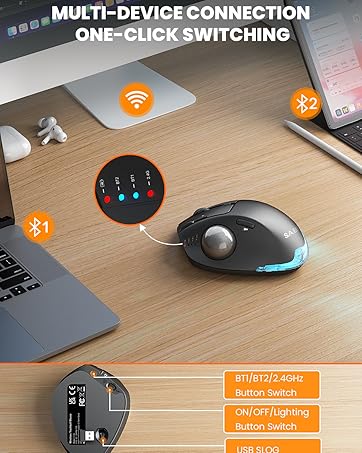
Multi-device wireless connection: Plug and play. This wireless mouse can connect to three devices at the same time via Bluetooth and USB, and can switch freely between PC, laptop and iPad with just one click – no delay, thereby improving work efficiency. Compatible with Windows, Android, Mac OS PC laptops, desktops and other devices
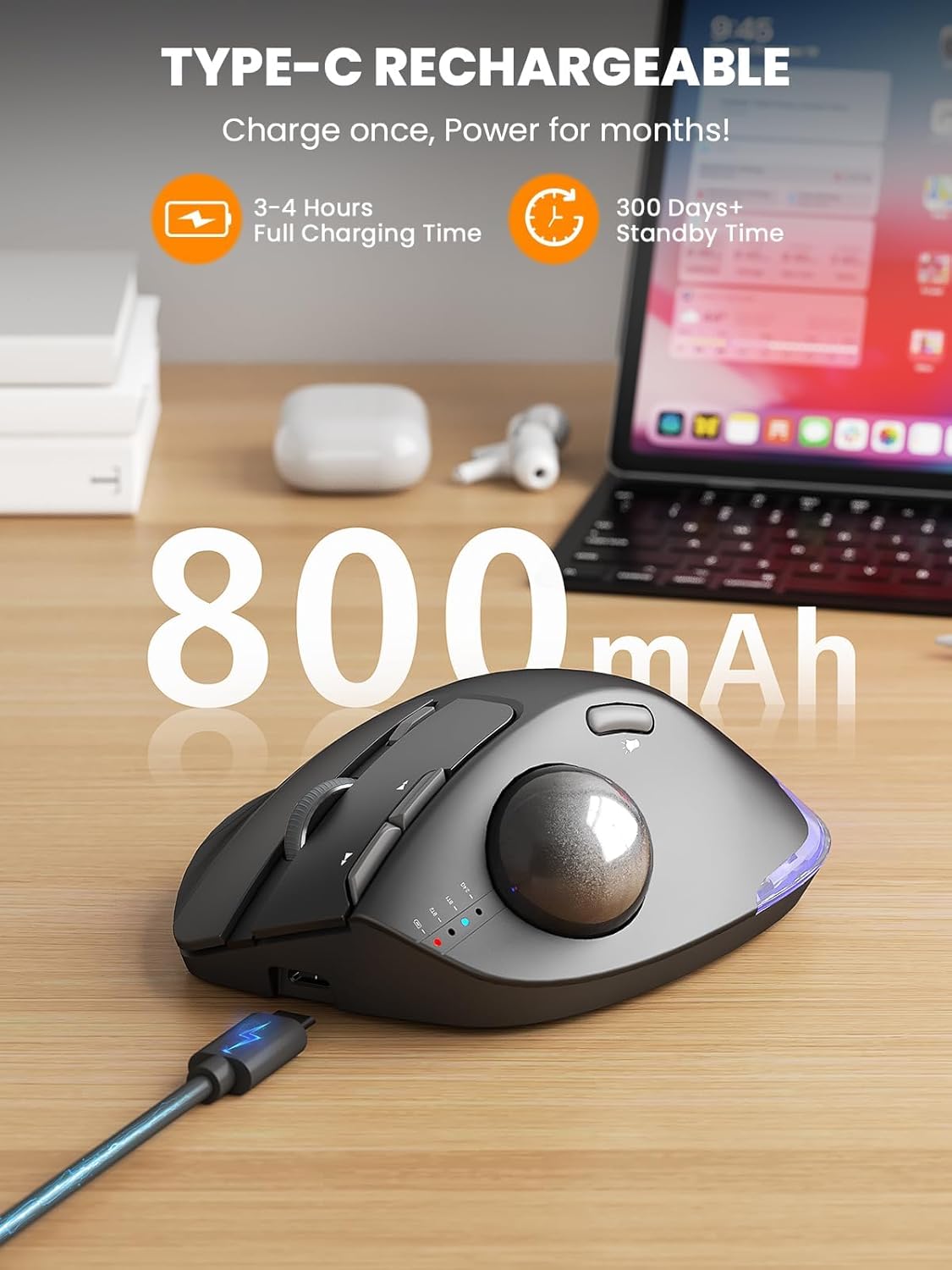
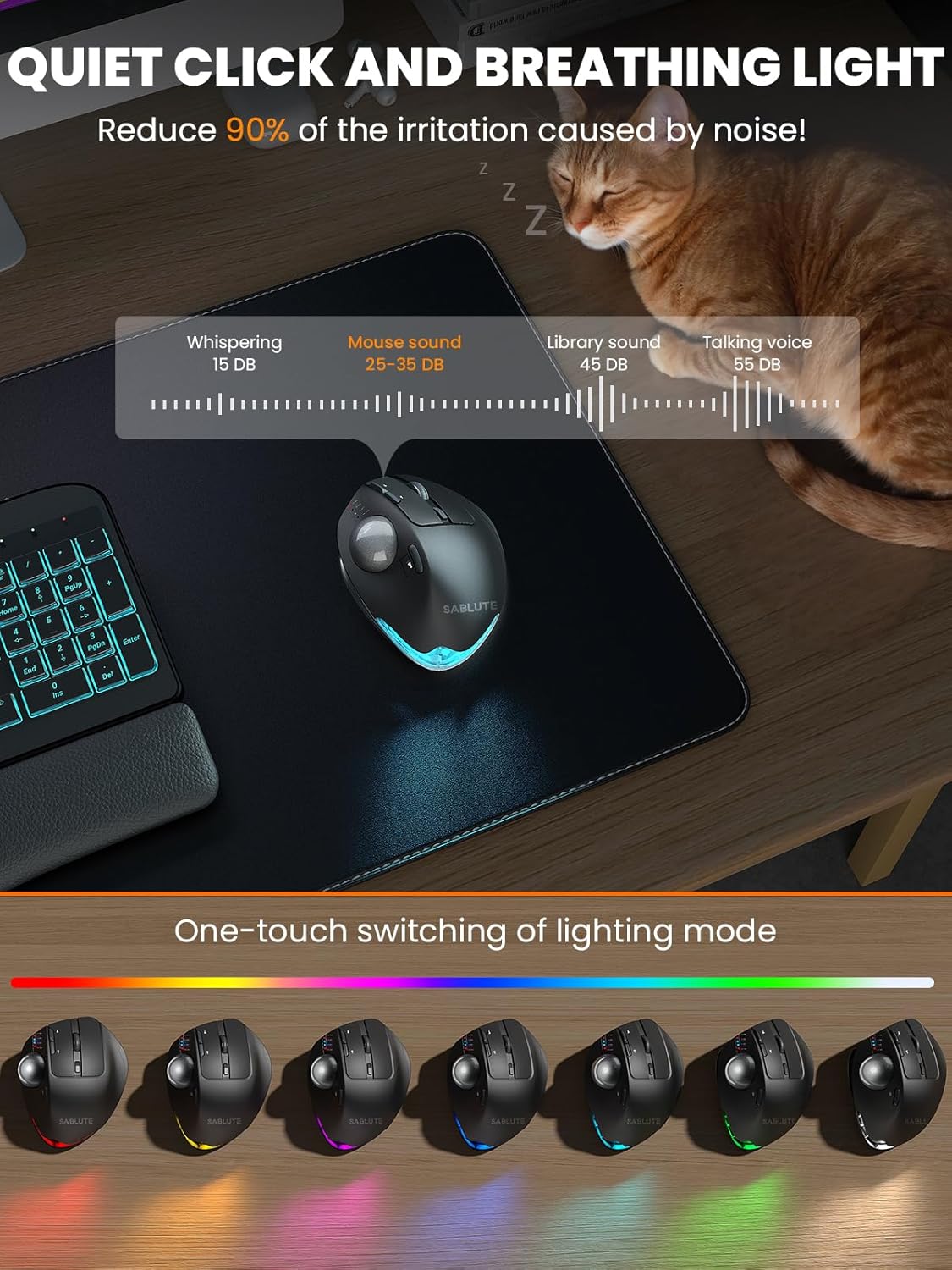
Rechargeable and backlight: The Bluetooth mouse has a built-in rechargeable battery with long battery life, allowing you to say goodbye to dry batteries. This ergonomic mouse also has a tail atmosphere light, which you can choose to turn on or off, and there are multiple breathing light modes for you to choose
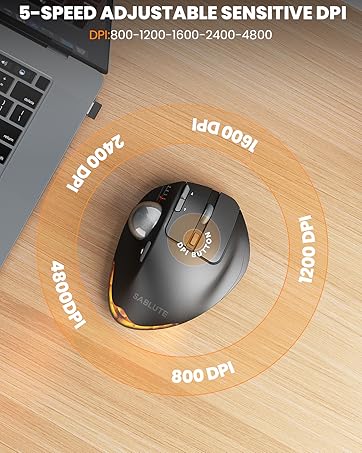
Adjustable DPI, silent click: 5 DPI levels (800/1200/1600/2400/4800) allow you to choose the cursor sensitivity that you need, making tracking smoother and more precise. Our computer mouse reduces 90% noise, so you don’t worry about disturbing others when you focus on work
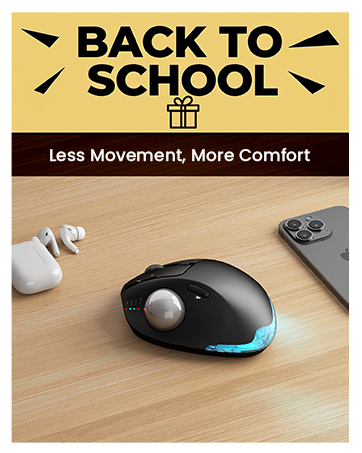
Mouse Recommended for Students: The UV-coated mouse surface is delicate and skin-friendly, making your experience more comfortable. It is also suitable as a gift for your children or friends during the back-to-school season. It can be easily used in study or work, doubling the efficiency
Warm Tips: If you are using a trackball mouse for the first time, it may take some time to get used to its operation. We recommend that you spend 1-2 weeks to adapt, as many users find that this helps reduce the pressure and pain on the wrist caused by long-term use of the mouse and improves comfort
You can download the driver by following the steps in the instruction manual to customize the mouse settings and fine-tune them to better suit your personal mouse preferences. (Note: This driver is not compatible with Mac OS.)
13 reviews for SABLUTE Wireless Trackball Mouse, Ergonomic Bluetooth Rechargeable Computer Mouse, Backlit Rollerball Thumb Laptop mice with 5 Level DPI, Adjustable Angle, 3 Devices Connection for PC, Mac, Windows
Add a review
$36.74
Kathie –
Awesome mouse! Great for big hands
The weight and responsiveness of this mouse are incredible! Good for people with bigger hands. I have small hands and can still use it, but definitelyade for a bigger hand. The buttons have a satisfying click, the functionality is so fast, I had to turn it down!, very accurate, beautiful design, connects easily! My husband wants one for gaming!
DarkWing –
Excellent tool.
This was a purchase for work, because I hate having to use a mouse or a touch pad. These are much better, and have a lot of options for additional use. This is very comfortable, but strickly a right had version, the tilting trackball on a base does allow you to try different angles and thus helps the hand last longer. And to be able to charge via USB and not need a battery, WOW, that’s great.
IMRAN™ –
Great Potential, Terribly Small Ball, Thumb Learning Curve, But Good Buy
Decent price compared to other branded ones. Great build quality and options for multi device control. Very sensitive makes it hard to control. [Update: changing mouse settings in MacOS helps but it’s important to use the mouse’s own button that changes speed of movement, it becomes much more useful then].I’m used to finger controlled Logitech marble trackballs for decades so getting the same control with the thumb is obviously a learning curve. The ball is 1/4 the size of the great larger trackballs so that makes it even harder to control. MacOS sees it as a keyboard in Bluetooth setup but I cancelled out of that dialog. I did keep the USB trackball connected for fine control and to see if I’ll move this off to some other use. {Update: but decided to use this as the primary device and not use the Logi}.I primarily used this one to zip from one end of a four large displays setup to the other extreme edge in a jiffy vs regular trackball scrolling. But the mouse speed setting at which this works well for normal operations turns the other trackball into a snail. But I will try other settings too. [Update: so tweaking settings in MacOS does give the combined high speed slide across 3 monitors while getting more controllable at slower speeds to click on small icons.]
Terry W Sterling –
Great Trackball Mouse
Love this mouse…I’ve always been a fan of trackballs which take some getting use to from a traditional mouse, but in the past, they usually quit working for one reason or another. This one has great movement, easy to use and working like a champ. If you haven’t tried a trackball and considering it, go for this one. Great value.
Wurth51 –
Solid feel, comfortable for all day use.
I am on the verge of carpal tunnel sensitivity. Moving to this track ball design appears to have reduced my wrist fatigue.The first thing I noticed was the solid feel of this unit. It’s solid response to button and track wheel movement is a nice improvement over lighter plastic devices I have used in the past.The device has a couple of different tilt positions, find the one that works best for you.The software interface for setting this track ball is easy to use and makes adjustments to the device quick and easy. This model provides for several types of connectivity i.e. “blue tooth”, dongle, and a second “blue tooth” , making it easy to use this same mouse for both my desktop and laptop computers.
A. Jonassen –
Great Trackball with good features
This trackball has been great. The buttons make no noise when clicking and the scroll wheel and buttons seem like they are good quality. The accuracy is really good and the different DPI setting are adjustable in the push of a button. It doesn’t have any drag when rolling the ball slowly too which means this is finally a replacement to the Logitech Trackballs. It’s a bit larger than the Logitech M570/M575 but it feels good in you hard and the ability to adjust the angle is awesome. This is a must buy trackball.
Bruce –
So far super amazing
Took a chance on this new brand and boy was it worth it. Best mouse I’ve ever used thus far, including the name brands and I’ve had a lot. Texture is sticky so it doesn’t move, the ball is smooth and precise, buttons are very tactile, it is super comfortable with the tilt, charges fast but don’t know how long it lasts…. Hopefully it doesn’t break any time soon but at this point I would definitely buy another one. Worth every penny.
Amazon Customer –
Great track ball mouse at a unbeatable price point
first trackball mouse so don’t know what to expect. I haven’t bought a mouse in years and always used hand me down logitecs. the weight is nice and the button clicks are so satisfying. it’s smooth, noise free and there’s slight pressure to it.the traceball glides in the socket really well but it’s pretty slippery. I washed it with some dish soap and it was still slippery. I read online to rub it on the forehead to oil it a tad bit. That did the trick. Hope this helps.also my only con I have is that this that the mouse wheel is too easily clickable. scrolling can be a mess if I’m using the track ball and scroll wheel. sometimes it clicks and causes the page to shoot all the way down or up.
Amazon Customer –
This mouse works great. I have used the Logitech ball mouse, which is much better. It’s also a good price.
HonestReviews –
5 out of 5 Stars (5)⭐⭐⭐⭐⭐[REVIEW UPDATES][TL;DR][QUALITY] (5/5)[VALUE] (5/5)[EASE OF USE] (5/5)[MET EXPECTATIONS] (5/5)[PACKAGING] (5/5)[REVIEW REMARKS]This is a decent trackball mouse that rivals the more known brands.With all the features of many other trackballs, this one has all the features that you need and some that are a pleasant surprise. The adjustable DPI is very handy, especially when you are just acclimatizing to using a trackball. The DPI is a control that makes the movement of the trackball more precise. This also is great if you are working on something that requires a little more precision.The connectivity is great when using the included USB dongle. The Bluetooth connection was not stable on Windows 11, but worked well on my Android devices. Thankfully, it comes with a dongle, relying on USB would be a nightmare.Ergonomics is the forefront of this trackball. The adjustable baseplate allows for two (2) angles for your comfort. I do like the slight tilt. The weight of this mouse is also to be recognized. It has a good heft to it and it stays in place on my desk. I appreciate this, I am going to say the weight comes from the metal baseplate.Battery life is excellent and there are lights to warn you when the battery is low. Charging the unit is as simple as connecting a USB-C cable to mouse and charge for a few hours. The battery lasts weeks with heavy daily use.One feature that is really cool, but needs to be updated, is the RGB lighting. This really does add to the cool factor. You can turn it off or on, which is great. The lighting effects are minimal and you cannot change the light colour to a solid colour of your choice. I do wish it had this built into it. I am not big on the ‘breathing effect’ and the solid colour is red…red…or…red. The breathing cycles through many colours, but none are addressable to be set as solid.As a trackball user since they came out a few decades ago, I find this to be an excellent product. I like the features and connectivity options. The trackball is easy to use and for beginners, it should be easier to adjust to than other options. The value is great and the quality is excellent. The time using this mouse has been delightful.Recommended based on ease of use, quality, value and features.In the event that experiences change or evolve, updates may be made to this review to address such developments.
Chris –
I thought I’d try this SABLUTE Wireless Trackball Mouse, I’ve never used a trackball mouse before and thought it would be a good option when using my laptop.First thing I noticed when I took it out of the box was the size and weight of it. It is much larger than any other mouse I’ve used, I’m sure it would work well for someone with larger hands. The weight will keep it from sliding around and it has a good grip pad on the bottom.There is a storage dock for the dongle when not in use so it’s less likely to get lost in the clutter on my desk.The on/off switch is on the bottom.It connected immediately.Easily rechargeable although it did work right out of the box.There is a nice feeling of it in the hand. Meant for right-handed use.I have never used a trackball mouse before and I am still getting used to it. It has been second nature to try and move the mouse around since that is all I’ve ever known. It felt weird to feel resistance when I subconsciously went to move it.I have found it is very sensitive to subtle movements of my thumb on the trackball which l am sure I will figure out with practice. *EDIT* I just realized that I will be able to adjust the sensitivity of the trackball so that might help*It is absolutely silent; there is no sound of ‘clicking’.Overall, this feels like a sturdy, well made piece of equipment.For people who are used to using this form of mouse I believe it will be a great option.
Keith –
I’ve always preferred trackball mice over the standard “move your hand all around” mice. Back in the mid-nineties, I got my first trackball mouse that was wired, and I knew this was a better style of mouse for me. I then upgraded to a wireless trackball mouse in the naughts, which was huge: no more cord! Since the early tens, I been exclusively using Logitech’s mice, starting with the M570, upgrading to the M575, then upgrading again in 2024 to the M575S. I currently have a combination of six M575/S mice in total, that I use to control my PCs & Stream Boxes throughout my house and apartment. After 30 years, I’m a pretty avid and experienced user of trackball mice. Even though I’ve been loyal to Logitech for many years, after reading the description for this Sablute wireless trackball mouse, I knew I had to try it. Comparing the two head-to-head, one might not notice the subtle differences, as they both offer most of the same features. They both have left and right buttons; they both have forward and back buttons; they both have scroll wheels that you can click; and they both have trackballs. However, the Sablute does have a couple more offerings than the M575S. Firstly, they both come with 2.4GHz dongles, to plug into a USB-A port, as well as a Bluetooth connection, to connect to a second device. However, the Sablute offers a second Bluetooth connection, allowing you to connect to a third device. You can easily switch between all three connections via the push button on the bottom of the mouse. As well, there’s a small row of four LED lights, to the front of the trackball, with three different LEDs, one for each connection, that light up temporarily, to let you know which device you’ve selected. Plus, the fourth light illuminates when you’re charging your built-in 800mAh rechargeable battery, with the included USB-C cable. You can recharge this mouse in 3-4 hours and get over 300 days of standby time. I’ve been using this mouse daily for about a month now and the battery is still almost full. This is the second difference compared to the competition, as my other mice all need a single AA battery to operate. The third difference is the two extra buttons on the top of the Sablute. The one, just below the scroll wheel, allows you to change your DPI on the go, offering you five different speeds. The other extra button, is located just above the trackball, that lets you turn on and switch colours of the mouse’s tail atmosphere light, at the bottom rear. A fourth feature is the bottom metal plate, that adds a bit of weight to the mouse, but also makes it more stable and stationary. This plate is also how you adjust the tilt that the mouse sits at. You get two positions: with either the mouse flat at 0°, or you get an 18° tilt to the right, letting your hand sit at a more comfortable 45° angle. Unfortunately, both brands of trackball mice are for right hands only. You will need to search for a left hand mouse, otherwise you’ll be operating the trackball with your pinky finger. As previously mentioned, both mice are almost identical in features and buttons. They are also of similar size and they both have a smooth, quality feel to them. The trackballs and scroll wheels also glide nice and precise. The only noticeable difference is the Sablute weighs a bit more, thanks to it’s metal plate. Unfortunately, if you remove this plate, the mouse won’t sit flat. But since the mouse stays stationary to operate, the extra weight is not a hindrance. If anything, it ensures the Sablute is less likely to move around, if you accidentally knock it. After using the M575 for so many years, you’d think I’d notice a difference while operating the mouse, but I don’t. Whether the Sablute is sitting on my stand-up table or lying on my bed next to me (when controlling my stream box, or watching YouTube videos on TV, via my PC), it sits comfortably in my hand and has performed flawlessly. If you are somewhat familiar with the Logitech trackball mouse, the Sablute will feel right at home. Both are great mice, but these extra features make it a little more useful. And, if you’ve never had a trackball mouse before, this is the one to get. Not only are they easier on your hand, but they need less space on your desk to operate. Plus, a mouse pad isn’t necessary. After being a market leader for decades, someone needs to add some improvements on their next update, just to keep up with this Sablute wireless trackball mouse! It’s probably the best mouse I’ve ever had.
Gold Oxide –
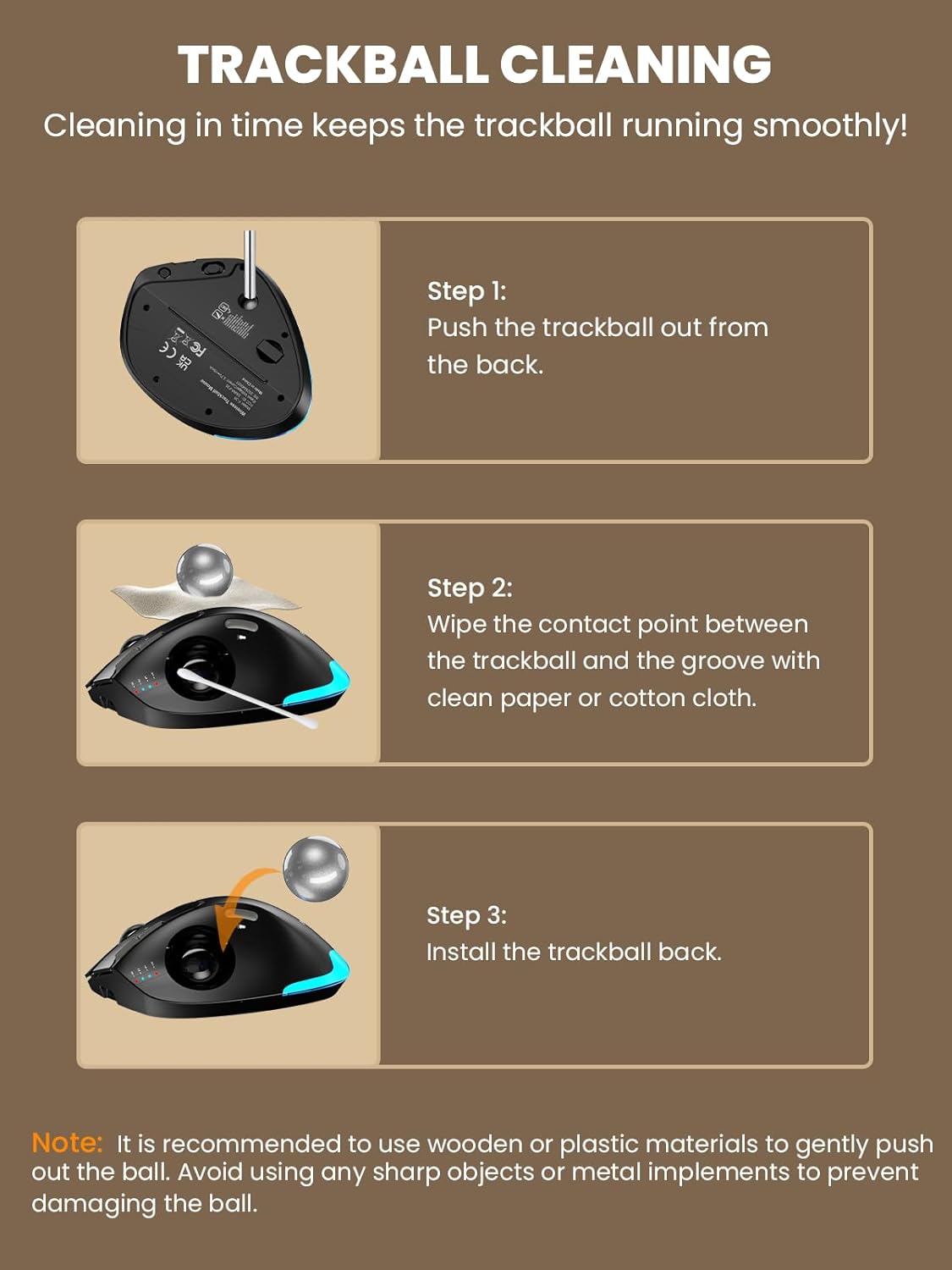
✅ The first significantly noticeable attribute was the weight and grounding of the device. This felt fantastic as the base stayed put. A trackball mouse is problematic if it keeps sliding with use. If that was the case, one might as well use a regular mouse.✅ Also helping the trackball mouse stay in place was a wonderfully grippy rubber-like base.✅ The metal base was affixed by a decent magnetic coupling. This allowed it to be easily removed to gain access to a physical port and allow trackball ejection, and thus access to cleaning of the trackball socket.✅ There was onboard parking for the USB transceiver on the underside of the trackball mouse when not in use.✅ Build quality was very good. Roller ball action was excellent, smooth and ultra quiet. Mouse scroll wheel and pushbuttons were also ultra quiet.✅ Bluetooth connectivity worked without an issue as well as the USB radio device (tested on Windows 11).✅ The option to angle the mouse 18 degrees clockwise was useful for hand grip variation. It appears to stay in position – at least for me.✅ Connection status LEDs on the top of the mouse helped choose the type of wireless connection and/or which device (up to 3) it is connected to at any given time.✅ The charging LED status was simple: When flashing red, charge the mouse. When charging, the red LED will remain on solid until mouse battery is charged.✅ You can use the mouse device while its battery is charging. Battery usage was very good and it did not need recharging after a week of 10 hour day usage.✅ The page back and forward buttons worked without an issue.✅ Product documentation was very good and to the point.✅ There was the option to turn on the palm located multi-coloured LEDs. This was a fashionable aspect of the product and didn’t offer much value but did make the trackball mouse findable in the dark.✅ Charging was convenient using a USB-C charging cable (included).❌ Not sure if this was a driver issue or the product, but sometimes when I click the left button, the action was not taken on any Windows 11 application.❌ Some users might no like that fact that switching between Bluetooth links and the USB radio is selected by a pushbutton on the bottom of the trackball mouse.❌ The product surface finish had that very fine velvet-like texture feel. I fear it will turn to an oily mess in the next few years and render the product unbearable.❌ I was unable to lock the colour of the palm LEDs. This could be a user error. Nonetheless, another thing to think about with very low return.NOTES:* My product was helpful to right-handed mouse users.* The main on/off device power switch is at the bottom of the mouse.SUMMARY:I think the greatest key take-aways for this product are its grounded feel and the precise and ultra quiet tracking and scrolling. If you have big hands, you may also prefer looking into this product offering.